
Duolingo is working on building agentic tools to automate simple tasks for Duos and save engineers time. The first tool we’ve built is an agentic feature flag remover, which you can use automatically from our internal pages to clean up your flags!
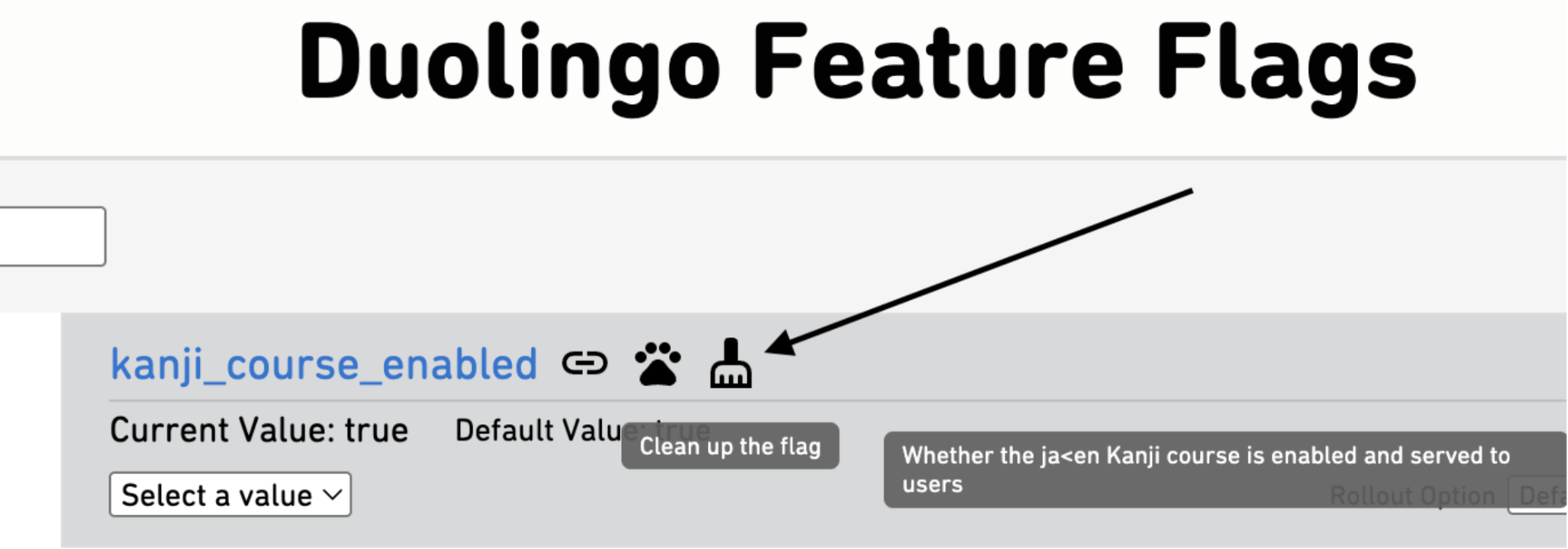
But much more than the tool itself, we wanted to start figuring out patterns for building additional agents that operate on our code. We built this agent on the workflow orchestration service Temporal using the Codex CLI, a pattern we intend to extend to future agents. Here’s why!
How does it all work?
Through the Platform Self-Service UI, a workflow is kicked off in gateway, Temporal’s dispatcher namespace. The gateway workflow kicks off another workflow, in this case our feature flag removal worker.

We first run an activity (Temporal-speak for “task”) to get the user’s Github account name, then kick off a new activity to do the main work. We clone the repo to a temporary directory, then ask Codex CLI to do its work. Once the agent completes, assuming it has found changes to make, it creates a PR, assigning it to the user’s account name we pulled earlier. And that’s it!
We found this pattern useful for a few reasons. Most AI tools efficiently operate on code locally (Codex CLI for instance), and a Github MCP is simply not necessary for tasks that are not operating on open PRs or code history. Merging standard coding and simply accessing Github through standard means before calling the AI agent only when needed provides a clean separation of work.
A reasonable design pattern might seem to split this into more reusable activities—one to clone, one to operate agentically, and one to create the PR for instance. But in Temporal, each activity may run on a separate worker, so cloning in a separate activity is not a viable option—we could find ourselves cloning the code and then trying to operate on it on a different instance that doesn’t have the code at all.
Why Codex CLI?

Originally, we attempted to build two versions of the tool in parallel using two common toolchains, one using langchain and one using fast-agent. The langchain-based version used Baymax, an internally developed toolset to operate directly on local code, and the fast-agent used the Github MCP. These versions were in development for 1-2 weeks, and we were able to get the langchain version working well using a set of 3 prompts run in loops, and the fast-agent was along the way doing the same. Then Codex was released.
We merged our 3 prompts into a single prompt, dropped it into the web UI, and it just worked. We tried the same prompt through Codex CLI, and it just worked again.
How to use Codex CLI agentically
Codex CLI is a new tool with minimal documentation. Ideally, we would much rather be using a proper API through some form of Codex SDK. But running the CLI as a Python subprocess works, and means we don’t have to wait. We expect to replace this with the Codex SDK if and when it exists.
Running agentically means giving Codex full control through its full-auto mode, and requesting it run in its quiet mode. We have sandboxed the work onto an ECS instance separate from our other tasks using Temporal, making it much safer to bypass approvals. Codex has updated this command several times, but the current working version is:
codex exec --dangerously-bypass-approvals-and-sandbox -m {model} {prompt}
Caveats
Codex CLI does not (currently) allow you to control its output format and get a structured JSON response like you can with other AI tools. While it can be coaxed into this with sufficient prompt engineering, this lacks the determinism of a true response JSON format, and is rather inconvenient.
Why Temporal?

Temporal is a workflow orchestration platform, which can fill a similar niche as Jenkins. However, it has a few nice features that make it far more useful and usable for our purposes. Most importantly, it has trivially easy local testing (key for rapid prompt engineering) and strong retry logic. This is very necessary for agentic workflows, which deal with AI non-determinism. Even a well prompted agent may go off the rails and crash, fail to produce any changes, hang/freeze, or otherwise fail to complete, and need to be retried. Additionally, the ability to easily combine multiple activities into a single workflow is very convenient.
This wasn’t that hard!
Developing the agent was quick, easy, and immediately successful. Once we settled on our tech stack, we had a prototype running in ~1 day, and a productionized version in ~1 week. Much of the week was spent on prompt engineering and feature development (such as extending the Python only prototype to also cover Kotlin), with the rest figuring out reusable patterns. We expect future Agent development based on this work to easily build on this pattern, so that soon enough we can focus entirely on understanding the problem we are solving and developing one or more prompts to perform it.
Next steps
Currently PRs are generated purely through Codex and sent as is (with a friendly “apply pre-commit” comment on the PR to fix the simplest errors), but with no real validation. What we really want is for this code to be fully tested before we send out the PR, and only send out PRs that either pass CI, pre-commit, and unit tests or are clearly marked as requiring manual work before being submitted. Work is ongoing to add these tools to our framework, so that our agentic framework is more robust.
If you want to work at a place that uses AI to solve real engineering problems at scale, we’re hiring!