
We’re closing out 2025 with a bang 💥 This year, we shipped dozens of features and upgrades that bring more learning, fun, and connection to Duolingo.
From chessboards to chatbots, hit songs to new ways of showing off your progress—we built it all for you, and we couldn’t be more excited to share it!
♟️ Game on: introducing our new Chess course
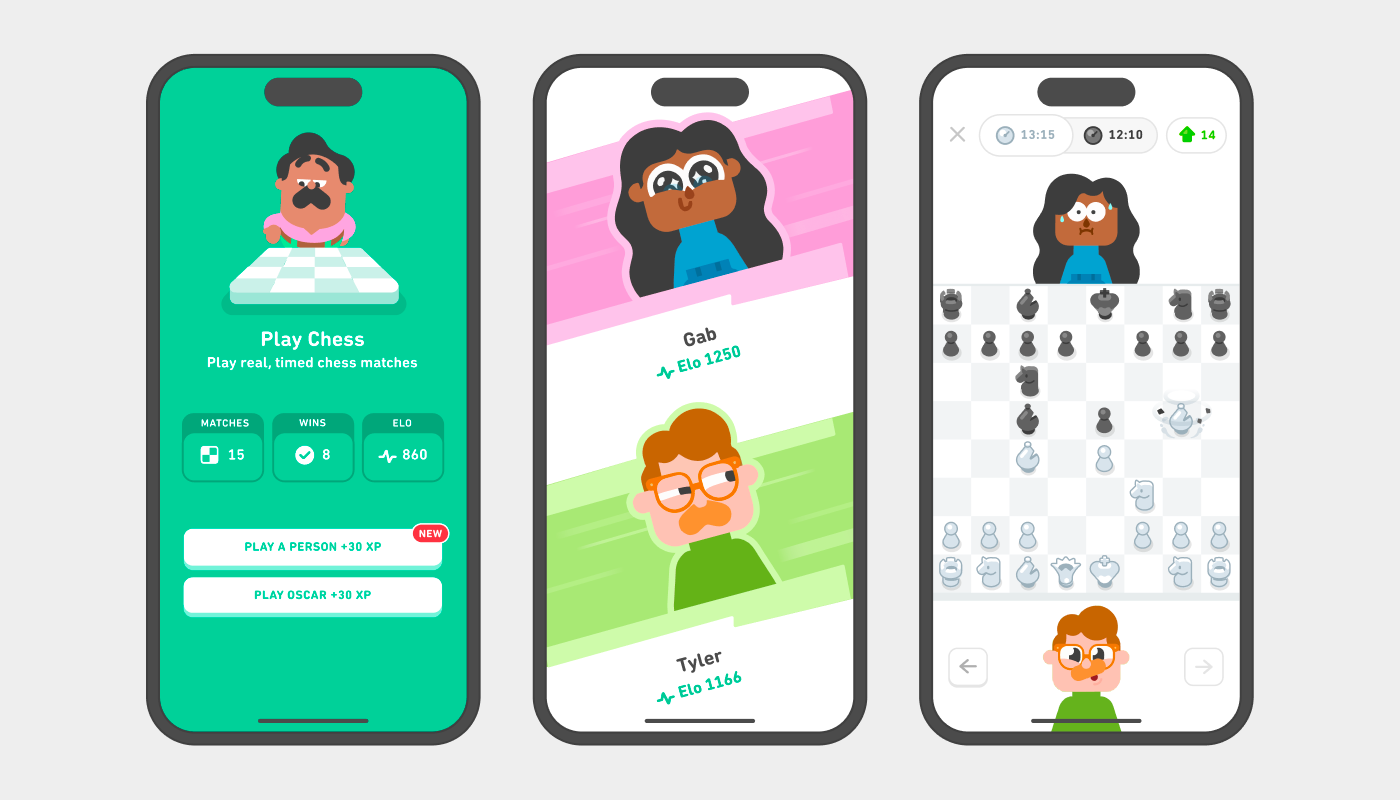
Whether you’re a beginner or a budding chess master, Duolingo’s Chess course helps you build your skills with bite-sized lessons, interactive exercises, and new ways to challenge yourself.
- We launched our new Chess course on iOS and Android—so you can now learn chess right inside Duolingo, and Duolingo Chess is now available on web, too!
- You can play matches against real people in Player‑vs‑Player mode, adding a whole new competitive dimension.
- We launched brand-new sections of content with tougher lessons designed for more advanced players.
- We added mini‑match games: quick drills to practice endgames and checkmates.
- New lessons teach openings, so you can start your games strong and strategic.
📈 Track your progress with the Duolingo Score
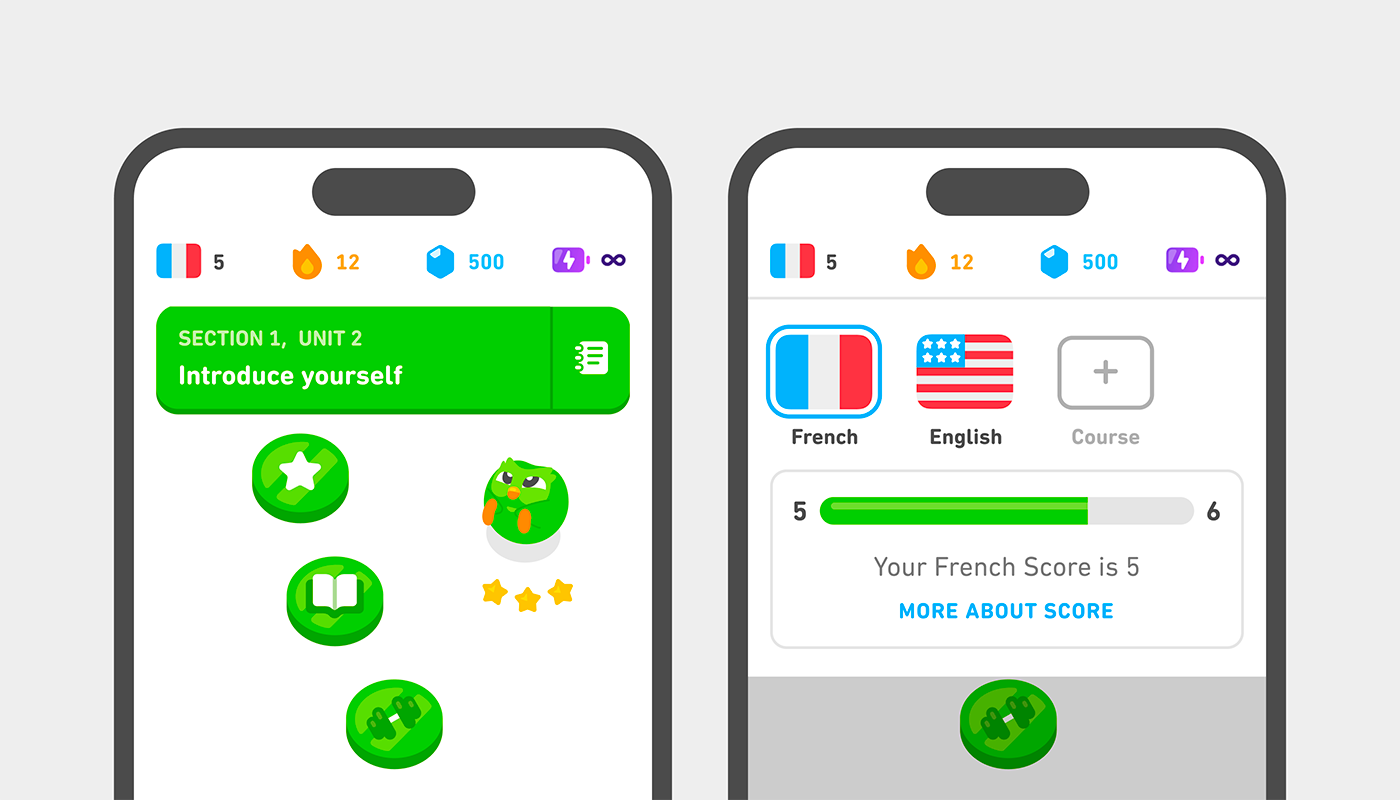
The Duolingo Score is a brand new way to understand your progress and help you reach your language goals.
- We launched Duolingo Score to all language courses. It’s a simple, clear metric for learners to showcase their language progress.
- We also teamed up with LinkedIn so you can add your Duolingo Score to your profile and show off your language skills to the world.
📚 A smoother, smarter learning experience
We also made improvements to make language learning easier, friendlier, and more effective for more learners than ever before!
- We launched 172 new language courses, making Spanish, Portuguese, French, Italian, German, Chinese, Japanese, and Korean available to speakers of 28 languages. This marked the largest expansion of content in Duolingo’s history and allowed millions more learners to reach a Duolingo Score of 59 (A2 on the CEFR scale).
- For intermediate learners with a Duolingo Score over 60, we redesigned our course structure: Units are broken into smaller “chunks,” making learning more engaging and less intimidating. And they’re still packed with interactive exercises that get you using your new language!
- We added Stories to 100+ courses at Duolingo Score 30-59, complete with new exercise types, expressive voices, and richer reactions. (Our characters have a lot to say.)
- We added 100K+ new DuoRadio episodes across all learning levels and all top 9 learning languages, including beginner episodes in 220+ courses that have DuoRadio for the first time.
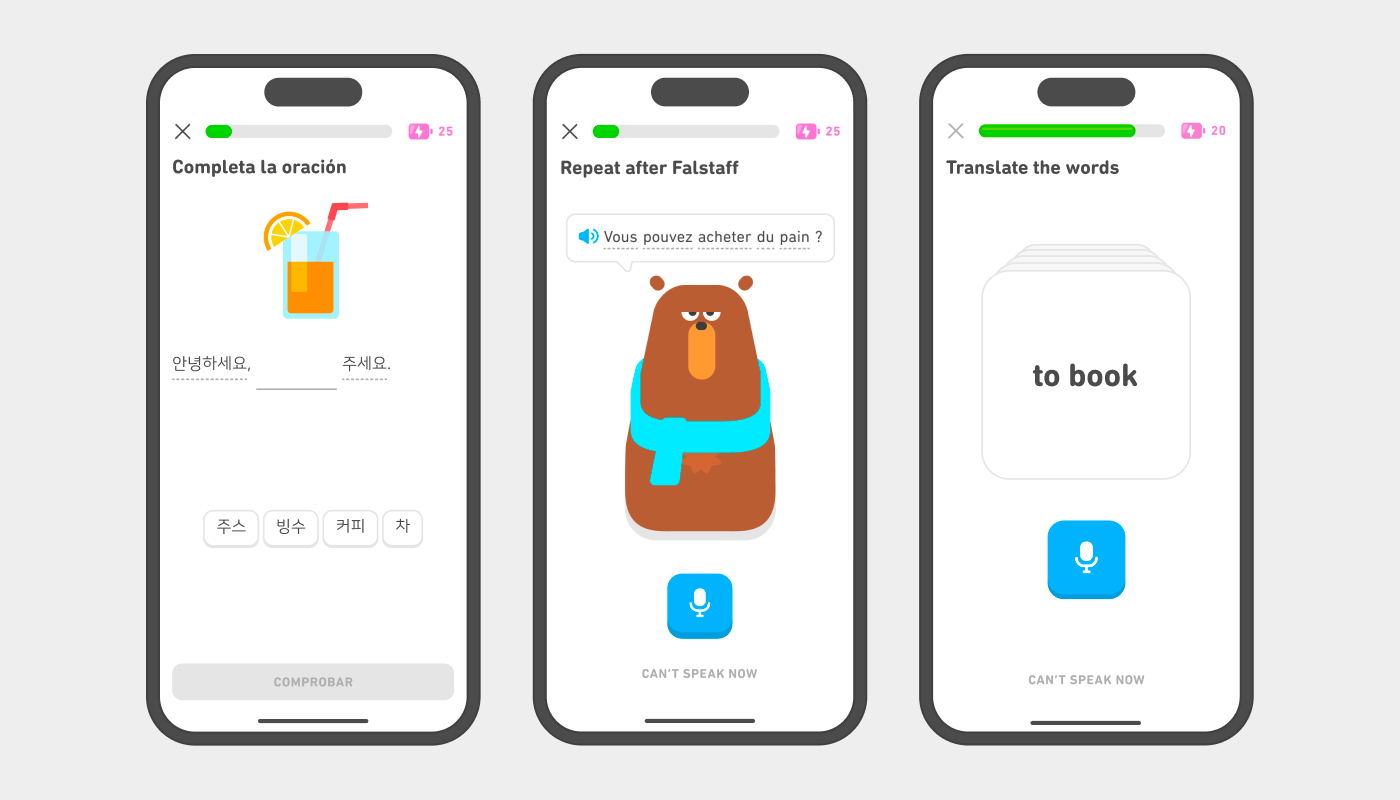
- We launched Flashcard exercises for our top 8 learning languages! They’re perfect for reinforcing vocabulary by training your memory through active recall.
- Tap exercises are now more forgiving: You can correct small mistakes without penalty 🙏
- And for speaking practice? Our speaking exercises now feature our characters more prominently to make practice fun and engaging—and they successfully encourage learners to complete more lessons.
📞 Video Call gets more people talking
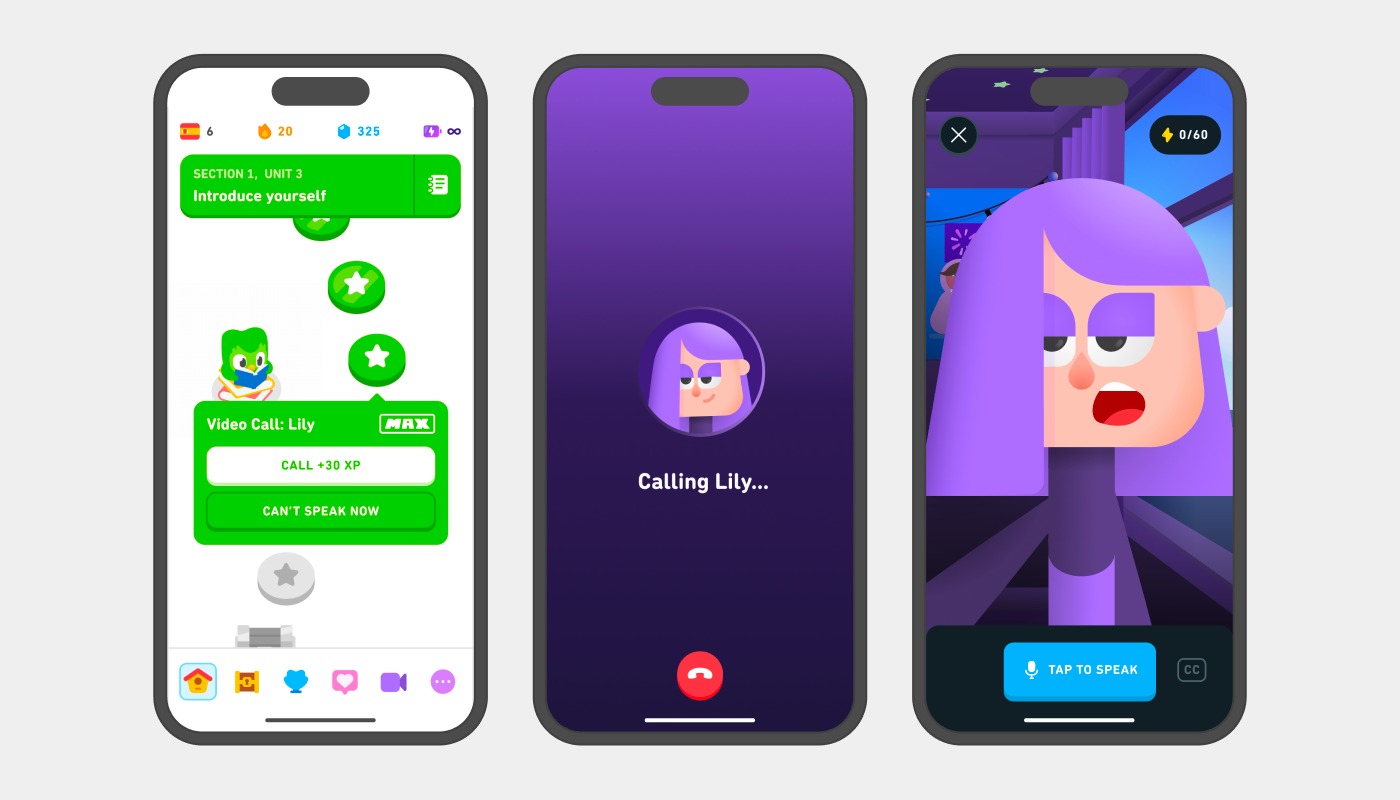
Say it with us: Conversation practice is now more real, more helpful, and more engaging.
- We made Video Call with Lily available for Android users learning English, Spanish, French, German, Italian, Portuguese, Japanese, and Korean.
- We added actionable feedback after calls and captions to the beginner experience so learners can follow along and learn from their conversations.
- We added Push-To-Talk, which gives learners more breathing room to respond and stops Lily from interrupting mid-sentence.
- We gamified Calls, so they now have an XP goal that learners can hit faster with longer responses.
- For advanced learners, we extended call lengths, made conversations feel more natural and personalized, and made it easier than ever to lead and steer discussions with Lily.
🎉 Find delight in every moment
Learning is a journey 🥵 But who says it can’t also be fun, quirky, and full of surprises?
- We redesigned our chest experience, making it a more delightful experience to open.
- Our new widget artwork and animated widgets add flair to your home screen.
- We launched fresh animations for Streak milestones, Friend Streaks, and lesson‑end screens, so you feel proud of every win.
- Our characters got pushier: Now you’ll get new notifications from Lily and Falstaff. (If you thought Duo’s guilt trips were legendary, wait until Lily’s sending your notification.)
- For Music lovers, Oscar, Zari, Lily, and Junior cheer you along as you play songs from different genres.
- We rebranded the “hard” exercises learners see after completing a perfect lesson: Now learners are cheered on by our character Eddy—the lovable, earnest gym dad, who makes sure you get in all your reps. 💪
- And we gave you four seasonal app icons: spooky, silly, sad, and glitched—perfect for matching your mood or the season.
🎶 More math. More music. More variety.
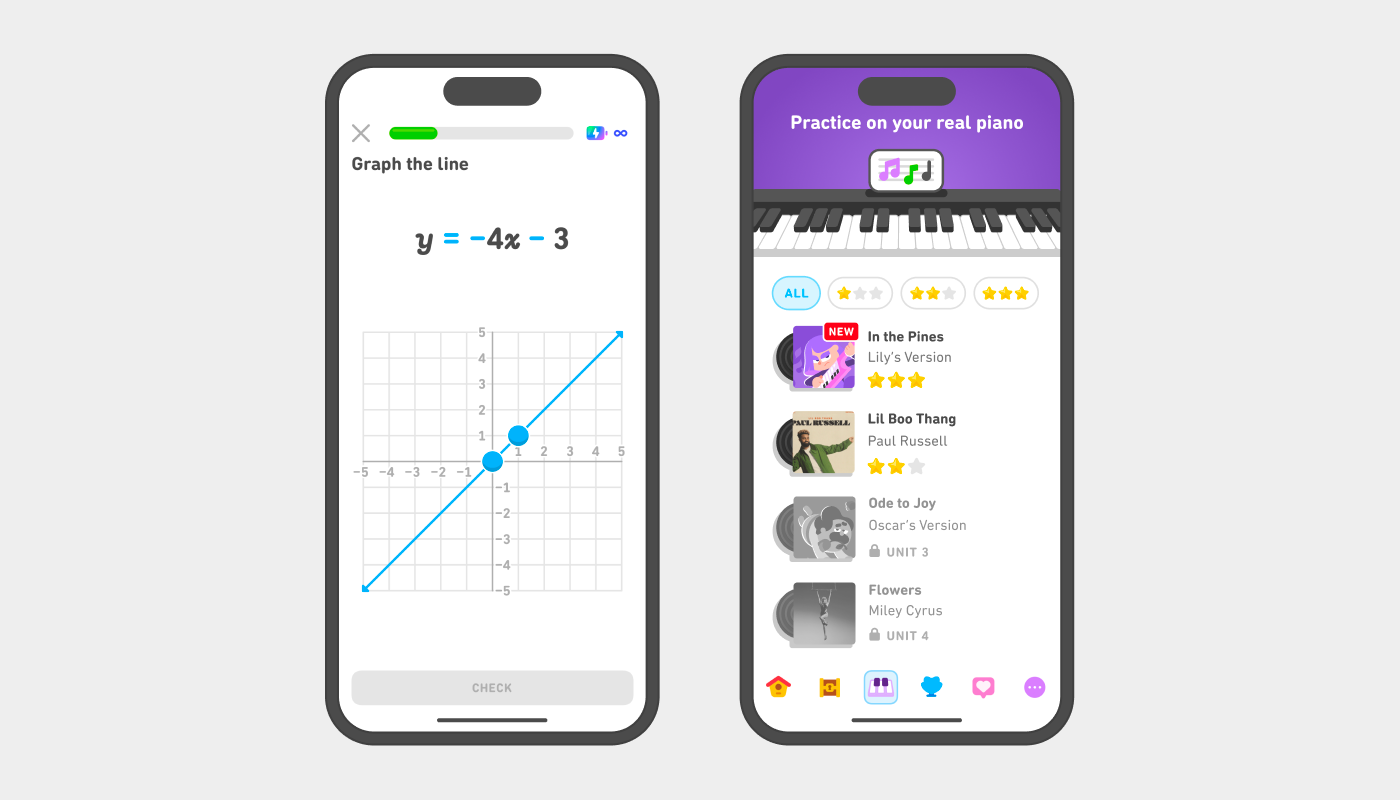
Our expanded Math and Music courses give you more ways to learn, explore, and grow—and have fun while doing it.
- Math and Music are now available to learners in dozens of languages, including Bengali, Czech, Greek, Hungarian, Indonesian, Korean, Dutch, Polish, Romanian, Russian, Telugu, Thai, Tagalog, Turkish, and Ukrainian. 🌏
- We added 60 brand‑new math units for grades 6 through 9—from algebra to geometry to statistics and beyond.
- We revamped how you navigate Math: Now you can browse and start any unit or topic you like! Learn exactly what you need, when you need it.
- We introduced a beginner Music section aimed at new-to-piano learners, with game‑like lessons to teach songs and build key recall.
- We added a Music instruments tab so you can practice songs with a real piano—perfect for learners who want to hone their skills beyond tapping on the screen.
- And for our Android music courses: We ported popular tracks from major music artists to bring more musical variety and fun.
🤝 Learning together means learning better
Because learning is better with friends, we added social features that help you connect, compete, and celebrate together. 🎉
- You can now see—and compete with—friends in Leaderboards.
- We made it easier to find and connect with friends on Duolingo.
- Learners’ in-app news feed was improved to highlight more learner achievements—and make sharing your own wins smoother.
- We launched a universal matching system so even learners without friends can join in on Friends Quests.
- And we boosted rewards for learners who complete all three Daily Quests—giving everyone even more reason to show up every day.
…And wait to see what else we have in store!
2025 was our biggest year yet. With so many new courses, features, and improvements, you now have more ways than ever to learn, grow, connect, and enjoy Duolingo. We can’t wait to see how you use all these features—and where your journey takes you next.
Stay curious. Stay playful. See you in 2026! 💚