Welcome to another week of Dear Duolingo, an advice column just for learners. Catch up on past installments here.
Hi, readers! I’m back with another great question about language learning that doesn’t get talked about enough. Let’s dive in!
Our question this week:
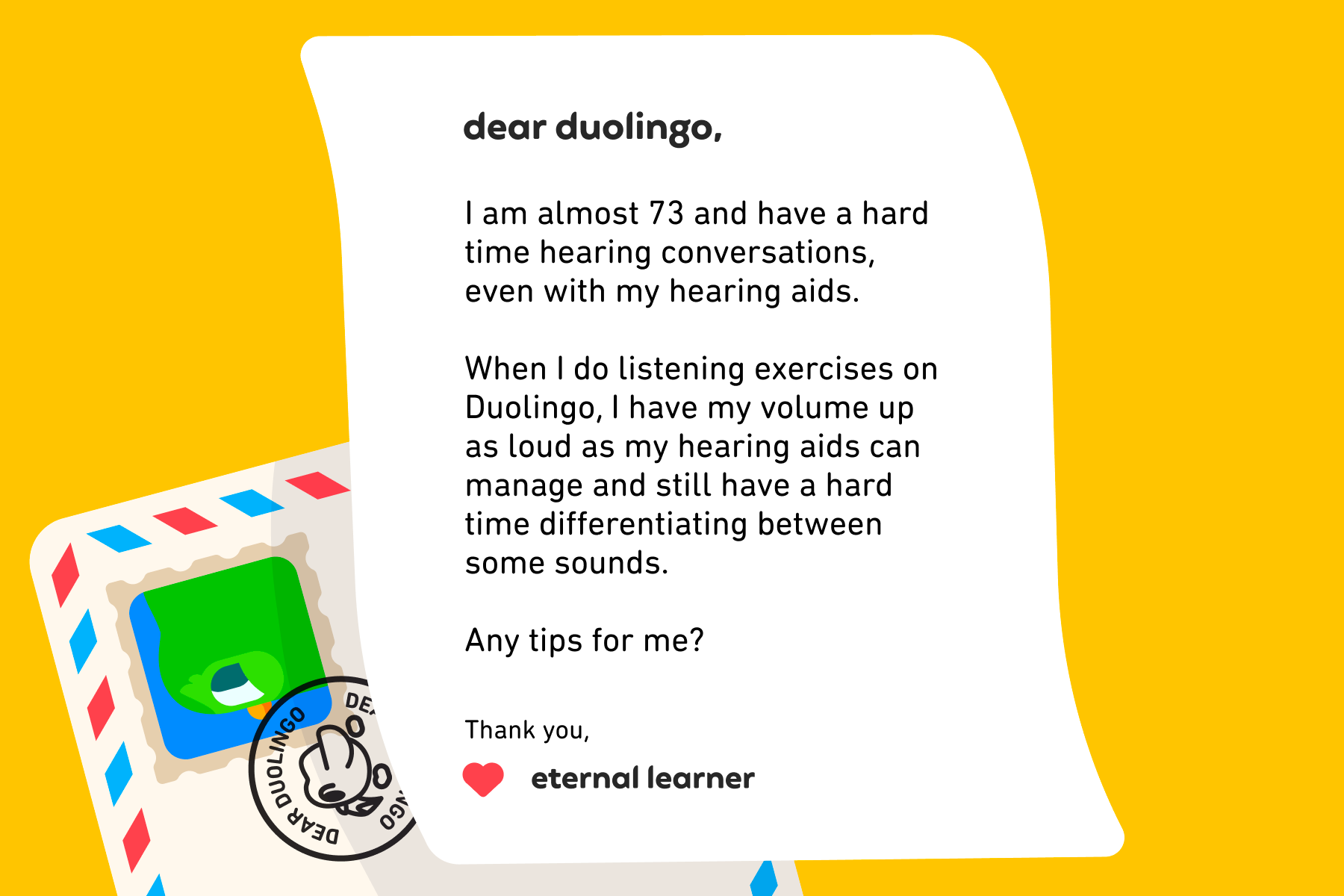
I love this question, but I’m not qualified to answer it on my own! That’s why I’m teaming up with my incredible mom, Dr. Victoria Thayer—language learner, hearing aid user, and marine biologist extraordinaire 🐬 Like you, Eternal Learner, she is in her 70s and has been a hearing aid user for over a decade, but she’s loved learning French for much longer, and she has a streak of over 1,000 days on Duolingo! The tips below are a blend of what I’ve learned studying linguistics and her experience and insight.
By the way, it’s never too late to learn a new language! While kids’ brains latch onto any language they’re exposed to with enviable ease, there are plenty of advantages to learning a language later in life, too.
In this post:
Tips while using Duolingo
Tips for learning off the app
Bonus: Tips for interacting with a hearing aid user (when you’re not one yourself)
Tips while using Duolingo
Duolingo has plenty of listening-related exercises, but it also has accessibility features that let you choose when and how you want to interact with them! Keep these in mind next time you use the app:
Repeat a listening exercise
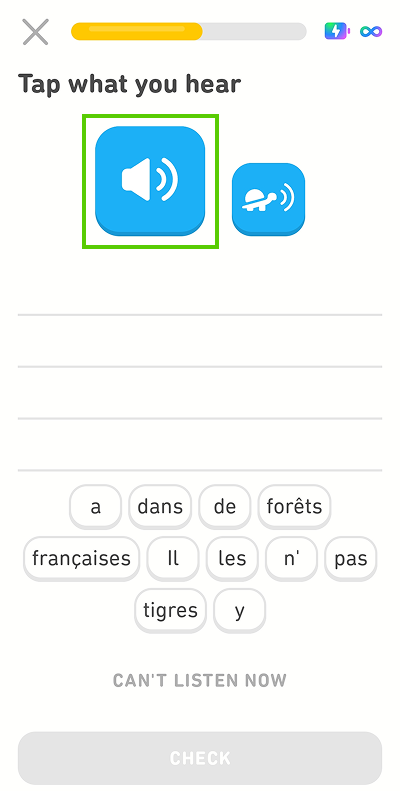
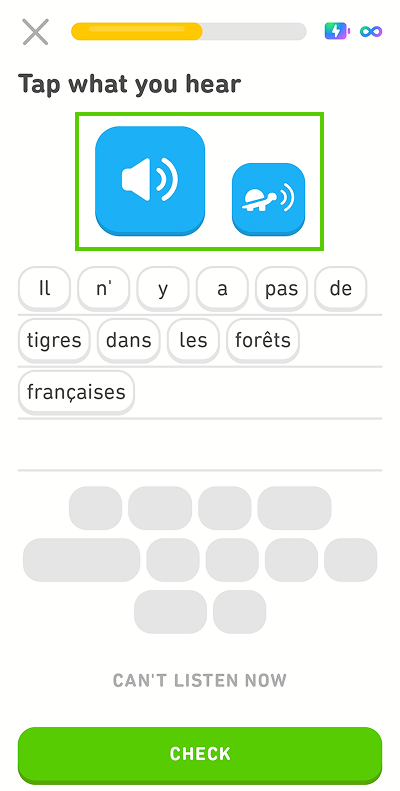
In “Tap what you hear” exercises, you can repeat the prompt as many times as you need. Just tap the blue speaker button!
Slow down a listening exercise
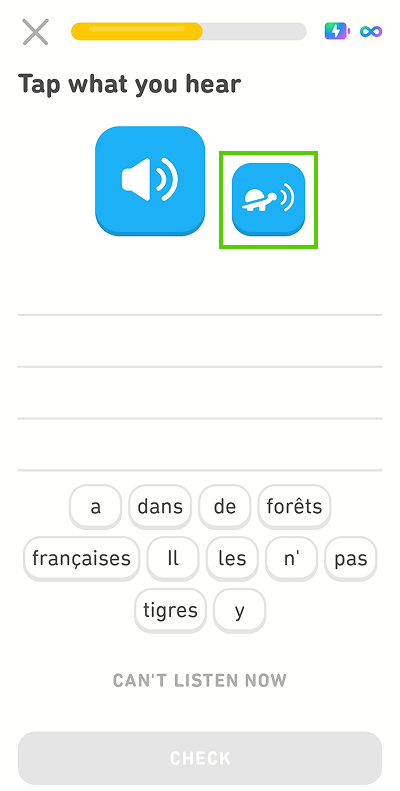
Still not sure? Tap the turtle button and hear the sentence again more slowly, with pauses between words.
Double-check your answer
Once you’ve entered your answer, give the sentence one last listen (or more), and read along before you submit it.
Pause listening exercises temporarily
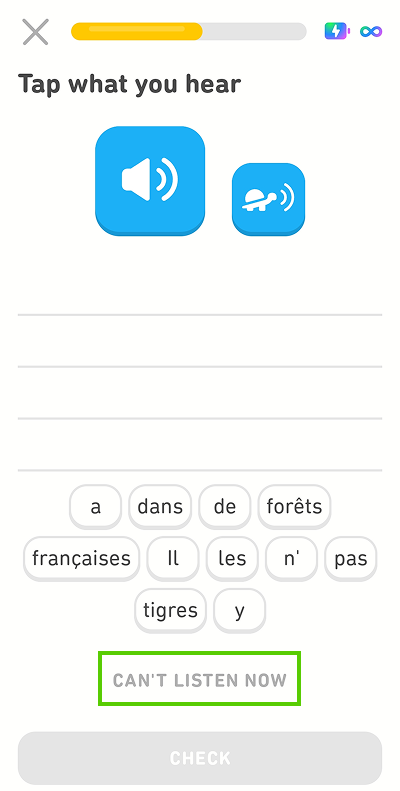
Sometimes, it’s just not convenient for you to spend time on listening exercises (like if it’s 11:58 p.m. and you’re trying to save your streak 😱), and that’s okay! Tap “Can’t listen now” and skip all listening exercises for that lesson.
Reveal the prompt
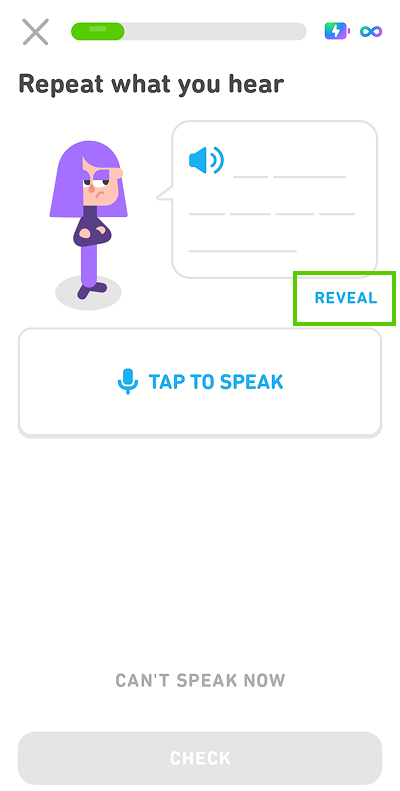
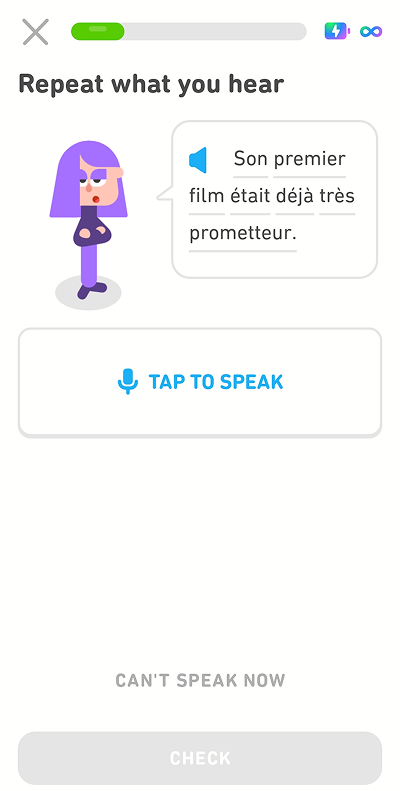
In “Repeat what you hear” exercises, you have the option to “Reveal” the sentence in order to see it written, and the character will automatically repeat the sentence out loud while you read along.
 |
 |
Skip DuoRadio lessons
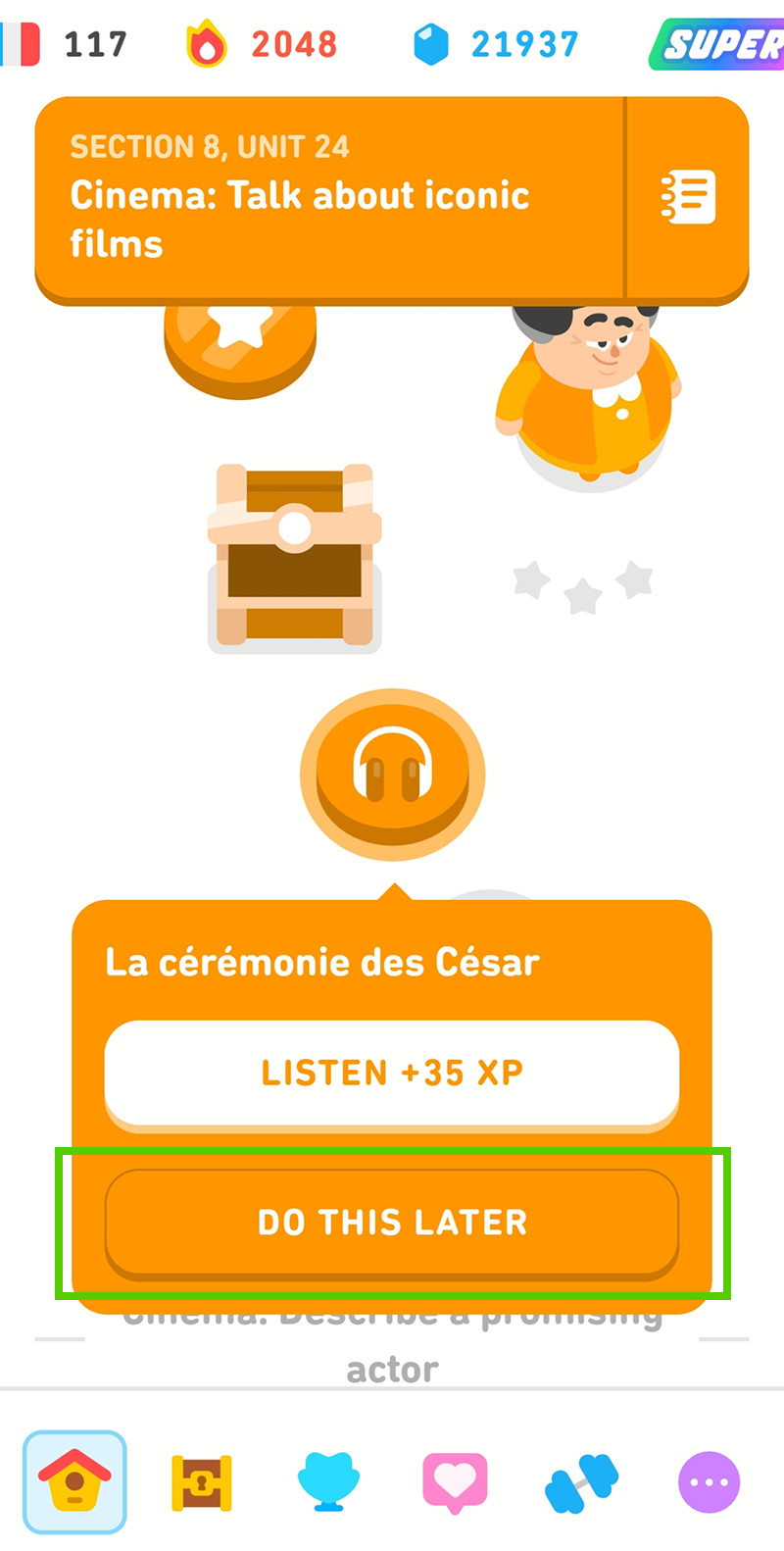
DuoRadio lessons (the ones with an icon of headphones on your path) don’t have the option to reveal the dialogue, but they also aren’t required for progressing through the course. Just tap “Do this later” and come back to it—or not!
Turn off listening exercises completely
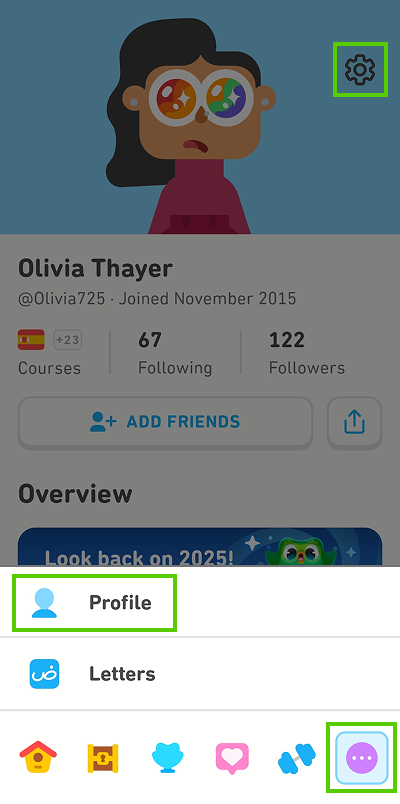
If you don’t want any listening exercises in any of your lessons, just turn them off completely! You can do this in your settings: First, head to your profile by tapping the icon of a silhouette of a person (depending on your course, you may have to tap the icon of the circle with three side-by-side dots first), then the gear symbol in the top right corner.
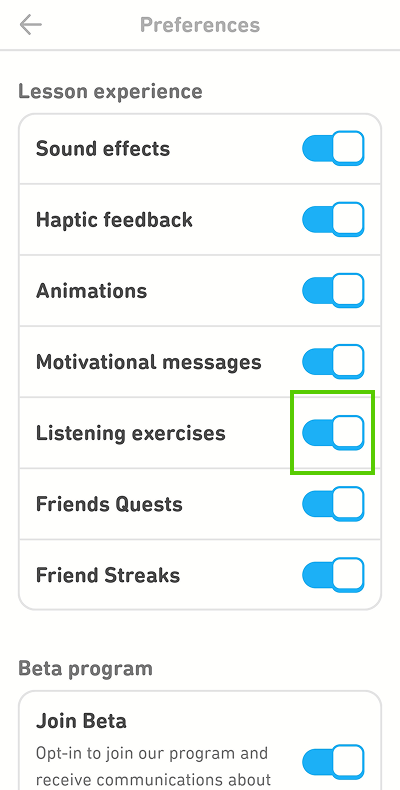
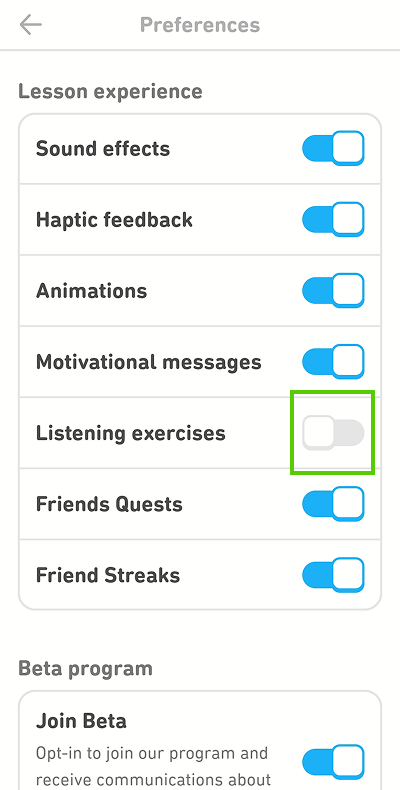
From there, tap the switch next to “Listening exercises” to turn them off. You can always turn them on again later!
 |
 |
Focus on listening when it’s convenient for you
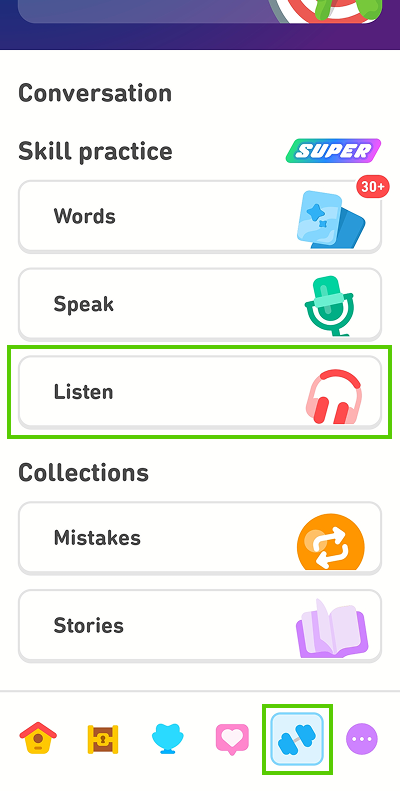
If you ever want to focus exclusively on listening, go to the Practice Hub (the dumbbell icon), and tap “Listen” for a listening-only lesson! (Note: If you’ve turned off listening exercises using the tip above, you’ll be prompted to turn them back on in your settings before you begin.)
Tips for learning off the app
While the tips above will help you customize learning on Duolingo to better suit your needs, we also know that the goal of any language learner is to get out there and test your skills in the real world! Here are some ways hearing aid users can improve their language off the app:
Get to know the IPA chart for the language you’re learning
The International Phonetic Alphabet, or IPA, is a standardized alphabet that aims to express all the sounds found in all the world’s languages.
Understanding the different sounds in your new language (including how they might differ from the way they’re spelled!) can help with lip reading, since you’ll learn what different sounds look like, not just how they sound. For example, some sounds, like “b,” are produced using both of your lips (also called bilabial sounds), while others, like “v,” are made using your lower lip and your upper teeth (called labiodental).
The entire IPA features more than 100 symbols, but no language uses all 100 of them—which means you don’t have to, either! There are plenty of resources online for language-specific IPA charts, so just focus on the phonetics of the language you want to learn.
Watch target-language movies with subtitles
You might already be in the habit of watching TV and movies—even in your own language—with subtitles, and this is also a great way to hone your skills when watching media in your new language!
For example, if you’re learning French, start by choosing a French-language movie or TV show (we have some tips and suggestions for extra-bingeable content!) and watching it with English subtitles. Then, watch it again with French subtitles. (Just keep in mind that subtitles aren’t always a perfect match for what characters are actually saying on screen.)
Whenever you can, repeat what you’re hearing out loud. Practicing your pronunciation will help you visualize what a speaker might be saying in the real world, too!
Dive into sign languages
No one ever said you can only learn one other language at once! In fact, knowing several different languages can make language learning easier, not harder.
Sign languages are fascinating for many reasons: For example, did you know that they are complete languages, with their own accents, dialects, slang, and everything else shared by all human language around the world? They also aren’t related to the dominant spoken language where they’re used. American Sign Language, for example, is not American English expressed with your hands—far from it! It wasn’t even developed based on English, and is closely related to French Sign Language. 🤯
If you want to discover a completely new way of learning a language, exploring a sign language can open the door to a unique and rewarding challenge. You’ll also learn about the rich history, traditions, media, and communities associated with Deaf culture, since culture is integral to language!
When interacting with hearing aid users
If you’re reading this post and you’re not a hearing aid user (or, at least, not yet—many of us are likely to have hearing impairment at some point in our lives!), here are a few tips to make sure you’re being respectful and inclusive towards those around you.
- Repeat yourself—completely—when someone asks you to. Don’t only repeat the last part of your statement or question, because you don’t know which part the other person didn’t understand the first time.
- Face the person you’re speaking with. Many people with hearing impairment rely on lip reading to some degree, so make sure the other person can see your mouth (as well as your expressions and body language) to help the conversation flow smoothly for everyone involved!
- Enunciate and speak clearly (but no need to shout!). Make an effort to speak clearly—but don’t make your speech unnaturally slow or loud. This isn’t helpful and can easily be perceived as condescending or insulting.
- Be patient. If you’re feeling frustrated, remember that the person you’re talking to probably is, too—and that no one chooses to lose their hearing!
You’re on your way!
You know better than anyone that learning a language as a hearing aid user presents unique challenges, but it’s not impossible! With these tips and plenty of motivation, you have all the tools you need to achieve your language goals. 💪
For more answers to your language and learning questions, get in touch with us by emailing dearduolingo@duolingo.com.